

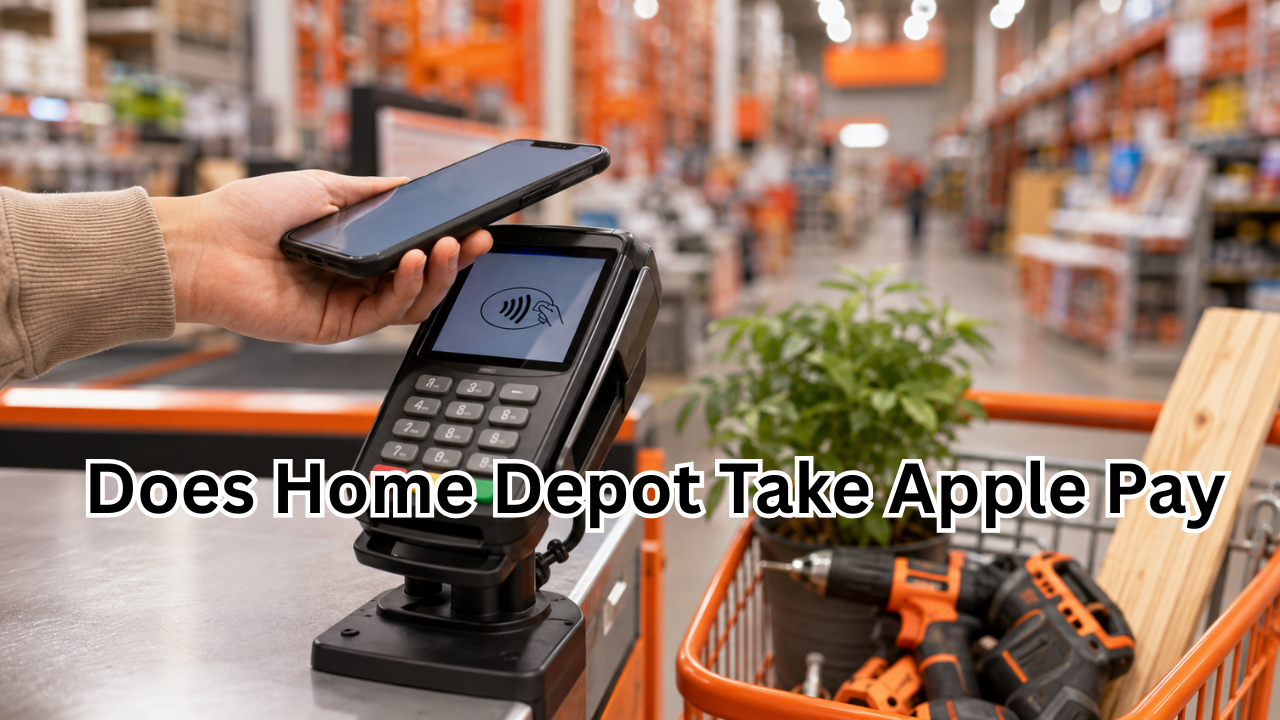
If you prefer paying with your iPhone or Apple Watch, you may be wondering, does Home Depot take Apple Pay? It is a common question because Home Depot’s payment options have changed over time, and older articles often give outdated information.
The short answer is that Apple Pay can be used at many Home Depot stores in the United States where contactless payment is enabled, although shoppers should check the payment terminal at their particular location. Home Depot’s own website also refers to purchases made with mobile wallets such as Apple Pay, Samsung Pay, and Google Pay, including instructions for handling returns made with the same device.
However, there is an important distinction between paying at a physical store and paying online. Home Depot’s current online payment information lists major credit cards, Home Depot cards, gift cards, and PayPal, but Apple Pay is not listed among its standard online payment methods.
So, if you are heading to Home Depot with only your iPhone, understanding where Apple Pay works and what alternatives are available can save you from an awkward checkout experience.
Does Home Depot Take Apple Pay in Stores?
Yes, Apple Pay is available at participating or enabled Home Depot store checkout terminals in the United States. The easiest way to tell is to look for the contactless payment symbol on the terminal or ask a cashier before starting the transaction.
Apple Pay works by using near-field communication (NFC), allowing your iPhone or Apple Watch to communicate with a compatible payment terminal. Instead of handing over your physical card, you authenticate the payment on your Apple device and hold it near the reader.
Home Depot’s own receipt-support information is particularly useful here. The company specifically explains that purchases made using mobile wallets, including Apple Pay, Samsung Pay, and Google Pay, may not appear in a customer’s normal purchase history because mobile wallets use a different card number. It also says customers making a return after using a mobile wallet should bring the same device used for the original payment.
That is strong evidence that mobile-wallet transactions are supported in Home Depot’s retail environment.
Why You May See Conflicting Information
If you search for “does Home Depot take Apple Pay,” you will probably find older pages saying no.
There is a good reason for the confusion.
Home Depot historically did not support Apple Pay at its physical checkout locations, and older articles documented that situation. For example, a 2024 update from The Krazy Coupon Lady reported that Home Depot did not accept Apple Pay at the time.
Payment technology and retailer policies can change, though. More recent information indicates that Home Depot has moved toward contactless payment acceptance at its stores.
This is why it is important to check the date of any article you find. A page published several years ago may accurately describe Home Depot’s payment policy at the time but no longer reflect the current situation.
Can You Use Apple Pay at Home Depot Self-Checkout?
If a Home Depot self-checkout terminal supports contactless payments, Apple Pay can be used in the same basic way as it would at a regular checkout.
After scanning your products:
- Select the appropriate payment option.
- Look for the contactless or tap-to-pay symbol.
- Open Apple Wallet on your iPhone or use your Apple Watch.
- Select your preferred card.
- Authenticate with Face ID, Touch ID, or your device passcode when required.
- Hold your device near the contactless reader.
- Wait for the payment confirmation.
The exact checkout screen can vary by store and terminal, so do not assume every machine will behave identically.
If the contactless reader does not respond, the store may require you to use another payment method.
Does Home Depot Take Apple Pay Online?
This is where the answer becomes less straightforward.
Home Depot’s official online payment information does not currently list Apple Pay as a standard payment method on HomeDepot.com. Its published payment options include Visa, Mastercard, American Express, Discover, Home Depot credit cards, Home Depot gift cards, eGift cards, and PayPal.
Therefore, you should not assume that simply having Apple Pay on your iPhone means you can use it for every Home Depot online purchase.
When shopping online, look at the payment options presented during checkout. If Apple Pay is not displayed, use one of the payment methods Home Depot officially provides.
This distinction is important because in-store Apple Pay acceptance and online Apple Pay acceptance are separate features.
| Payment Method | Home Depot In Store | HomeDepot.com |
|---|---|---|
| Apple Pay | Yes, where contactless payment is enabled | Not listed as a standard payment option |
| Visa | Yes | Yes |
| Mastercard | Yes | Yes |
| American Express | Yes | Yes |
| Discover | Yes | Yes |
| Home Depot Consumer Card | Yes | Yes |
| Home Depot Commercial Card | Yes | Yes |
| Home Depot Gift Card | Yes | Yes |
| PayPal | Limited by transaction/channel | Yes |
Payment options can vary by transaction and location, so the checkout screen is the best final confirmation. Home Depot’s official online payment pages provide the most reliable information for website purchases.
How to Pay With Apple Pay at Home Depot
Using Apple Pay is relatively simple if the checkout terminal supports contactless payments.
With an iPhone
Before visiting the store, make sure your preferred debit or credit card has already been added to Apple Wallet.
At checkout:
- Double-click the side button on a compatible iPhone.
- Authenticate using Face ID or your passcode.
- Hold the top portion of your iPhone near the contactless reader.
- Keep it in place until you see the payment confirmation.
The transaction is normally completed within seconds.
With an Apple Watch
Apple Watch users can also make contactless payments when the terminal supports them.
Double-click the side button on your Apple Watch, select your card if necessary, and hold the watch close to the contactless reader. A confirmation on the watch indicates that the payment has been processed.
You generally do not need to hand your phone or watch to the cashier.
What If Apple Pay Does Not Work at Home Depot?
Even when a retailer supports mobile wallets, an individual terminal may occasionally fail to process a contactless transaction.
If Apple Pay does not work, try these steps:
- Make sure your iPhone or Apple Watch has sufficient battery.
- Confirm that the correct card is selected in Apple Wallet.
- Hold the device closer to the contactless symbol.
- Wait a moment for the reader to activate.
- Ask the cashier whether contactless payment is enabled.
- Try another checkout terminal if one is available.
- Keep a physical debit or credit card as a backup.
It is also worth remembering that not every payment problem is caused by Home Depot. Your bank could decline the transaction, the card in Apple Wallet could have an issue, or the terminal could temporarily malfunction.
What Other Payment Methods Does Home Depot Accept?
If you would rather not use Apple Pay, Home Depot provides several traditional payment options.
According to its official payment information, online shoppers can use Visa, Mastercard, American Express, Discover, Home Depot consumer and commercial cards, Home Depot gift cards, eGift cards, and PayPal.
For in-store purchases, customers may also have access to additional payment methods depending on the store and transaction.
If you are making a large purchase, using a Home Depot credit option may also be worth considering if you qualify and the terms make sense for your situation.
Can You Return Something You Bought With Apple Pay?
Yes, but there is an important detail.
If you paid using Apple Pay, Home Depot recommends bringing the same device used to make the payment when processing a return. Its receipt information specifically notes that mobile-wallet transactions use a different card number, which can affect how the purchase appears in account history.
For example, if you purchased a power tool using Apple Pay on your iPhone, bringing that same iPhone when you return the item can make the transaction easier to identify.
This is one reason you should avoid assuming that your physical debit or credit card will work in exactly the same way for receipt lookup after you have paid through Apple Pay.
Does Home Depot Have Its Own Digital Wallet?
Home Depot also offers HD Pass, a digital payment feature designed for Pro Xtra customers.
According to Home Depot, HD Pass allows eligible Pro Xtra members to save supported credit and debit cards and use them to pay for purchases in Home Depot stores. The company says HD Pass can be used at self-checkout and assisted checkout.
However, HD Pass is not the same thing as Apple Pay. Home Depot’s documentation states that HD Pass cannot currently be added to a device wallet such as Apple Pay or Google Pay.
That distinction matters if you are comparing Home Depot’s own payment technology with Apple’s mobile wallet.
Tips for Using Apple Pay at Home Depot
If you want the smoothest checkout experience, a little preparation can help.
Check your card first. Make sure the debit or credit card you want to use is active in Apple Wallet.
Look for the contactless symbol. The symbol on the checkout terminal is a quick indication that tap-to-pay functionality is available.
Keep a backup payment method. Even if Apple Pay is supported, a technical problem or declined card can interrupt a transaction.
Keep your device after paying. You may need the same iPhone or Apple Watch if you later need to return the purchase.
Do not rely on old information. Home Depot’s Apple Pay policy has changed over time, so older articles may not accurately describe the current experience.
Frequently Asked Questions

Does Home Depot take Apple Pay in 2026?
Yes. Current information indicates that Apple Pay can be used at Home Depot stores where contactless payment is enabled. Home Depot also explicitly references Apple Pay transactions in its guidance about mobile-wallet receipts and returns.
Can I use Apple Pay at Home Depot self-checkout?
Yes, when the self-checkout terminal supports contactless payments. Look for the contactless symbol and follow the prompts on the checkout screen.
Does Home Depot accept Apple Pay online?
Home Depot’s current official online payment pages do not list Apple Pay among its standard payment options. They list cards, Home Depot gift cards, and PayPal instead.
Can I return a Home Depot purchase made with Apple Pay?
Yes. Home Depot says customers who paid with a mobile wallet should bring the same device used for the payment when making a return.
Why do some websites say Home Depot does not accept Apple Pay?
Much of the confusion comes from outdated information. Home Depot historically did not support Apple Pay at its stores, and older articles reflected that policy. More recent information and Home Depot’s own mobile-wallet guidance show that the situation has changed.
What should I do if Apple Pay is declined?
First, check that your card is active and that your device is unlocked and properly positioned near the reader. If it still fails, ask an associate whether the terminal supports contactless payment or use a physical card as a backup.
Final Thoughts
So, does Home Depot take Apple Pay? For shoppers visiting Home Depot stores in the United States, the answer is generally yes where contactless payment is enabled. The company’s own support information now acknowledges Apple Pay and other mobile-wallet purchases, including specific guidance for returns.
The bigger caveat is online shopping. Home Depot’s official website currently lists traditional cards, Home Depot payment cards, gift cards, and PayPal rather than Apple Pay as its standard online payment options.
If you are heading to a store, Apple Pay can be a convenient way to leave your physical wallet at home. Still, carrying a backup card is smart, especially when you are making a large purchase or visiting a location where contactless availability may differ.
As payment technology continues to change, checking Home Depot’s current payment information before a major purchase is the safest way to avoid surprises at checkout.
Also Read : North Face Healthcare Discount: What Healthcare Workers Need to Know in 2026










Leave a Reply