

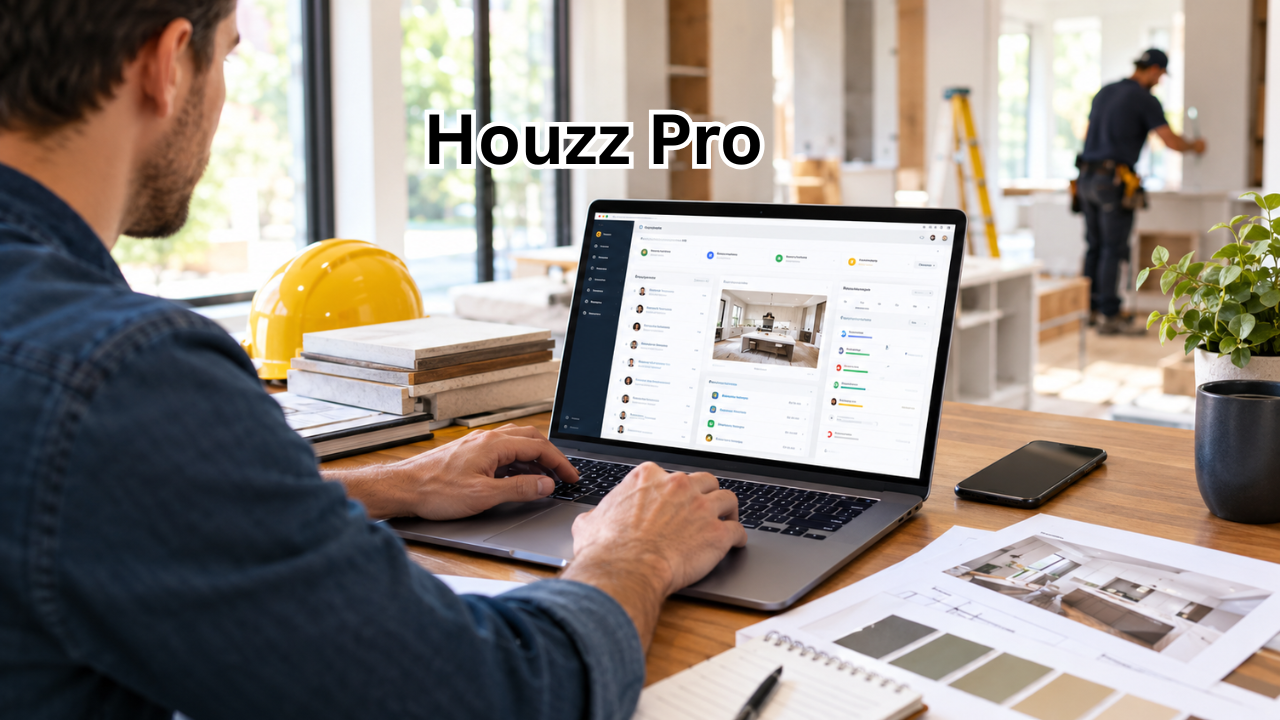
Running a home improvement business involves much more than doing great work. Contractors, remodelers, interior designers, architects, builders, and other professionals have to manage leads, communicate with clients, create estimates, organize projects, send invoices, and keep track of everyday business tasks.
That is where Houzz Pro can become useful.
Houzz Pro is a business management platform designed for professionals in the home renovation and design industry. Instead of relying on several disconnected tools, businesses can use a centralized system to organize important parts of their workflow.
Whether you are an independent contractor handling a few projects or a growing company managing multiple clients, having better systems can save time and reduce unnecessary administrative work.
This guide explains what Houzz Pro is, what it can do, who can benefit from it, and the factors you should consider before making it part of your business workflow.
What Is Houzz Pro?
Houzz Pro is a business software solution created for professionals working in the residential construction, remodeling, architecture, interior design, and home improvement industries.
It is designed to bring several common business activities together in one place. Depending on the tools and plan being used, professionals can use the platform to manage leads, communicate with customers, prepare estimates, handle proposals, organize projects, and manage other administrative tasks.
The main idea is simple: instead of switching between different applications for every stage of a project, a business can keep more of its workflow organized within one platform.
For a busy home professional, that can make a meaningful difference.
A typical project may involve dozens of conversations, documents, deadlines, material decisions, payments, and follow-ups. Without an organized system, small details can easily get lost.
Houzz Pro aims to provide a more structured approach.
Why Houzz Pro Matters for Home Improvement Businesses
Home improvement businesses often face a unique challenge. The work itself may happen at a customer’s property, but much of the business management happens behind a computer or phone.
A contractor might spend the morning visiting a job site, the afternoon preparing an estimate, and the evening answering client messages.
Managing everything manually can quickly become exhausting.
A business management platform can help professionals create repeatable processes. Instead of starting from scratch with every client, they can use organized workflows and digital tools to handle common tasks.
Some potential advantages include:
- Keeping customer information organized
- Managing incoming leads
- Creating professional-looking estimates and proposals
- Improving client communication
- Organizing project information
- Reducing repetitive administrative tasks
- Keeping important documents easier to find
- Creating a more professional customer experience
The biggest benefit may not be a single feature. It is the ability to connect different parts of the business workflow.
Key Features of Houzz Pro
The exact tools available can depend on the account, subscription, and platform updates. However, Houzz Pro is generally positioned around several important areas of business management.
Lead and Customer Management
Finding potential customers is only the first step. Businesses also need a reliable way to track those opportunities.
Lead management tools can help professionals organize inquiries and follow up with potential clients.
This is particularly important when a company receives leads from different sources. Without a central system, a promising opportunity can be forgotten simply because someone failed to follow up at the right time.
Keeping lead information organized makes it easier to understand where prospects are in the sales process.
Estimates and Proposals
Estimates are an important part of almost every remodeling or construction business.
A professional estimate needs to be clear enough for the customer to understand while also giving the business a useful foundation for the project.
Digital estimating and proposal tools can make this process more consistent.
Instead of creating every document manually, professionals can use templates and organized information to prepare documents more efficiently.
A polished proposal can also make a small business appear more established and professional.
Project Management
Once a customer accepts a proposal, the focus changes from winning the project to delivering it successfully.
Project management features can help businesses organize tasks, schedules, communication, documents, and project details.
This can be particularly useful when several projects are happening at the same time.
For example, a remodeling company may have one kitchen renovation in its planning stage, another project waiting for materials, and a third job already under construction.
Having project information organized can make it easier to see what needs attention.
Client Communication
Communication can make or break a home improvement project.
Customers naturally have questions about schedules, materials, costs, designs, and changes. If communication becomes scattered across text messages, emails, phone calls, and handwritten notes, important information can become difficult to track.
A centralized communication system can help create a clearer record of client interactions.
It can also provide customers with a more organized experience throughout the project.
Business and Financial Organization
Administrative work is one of the less exciting parts of running a construction or design business, but it cannot be ignored.
Invoices, payments, estimates, expenses, and other financial information need to be handled carefully.
Digital business tools can reduce some of the repetitive work involved in managing these processes.
However, businesses should still review their financial information carefully and maintain appropriate accounting and tax records.

Houzz Pro vs. Using Separate Business Tools
Many professionals start their businesses with a collection of individual tools.
They may use one application for email, another for accounting, spreadsheets for project tracking, a separate proposal tool, and messaging apps for customers.
That approach can work, especially for a small operation.
The problem appears when the business grows.
| Business Need | Separate Tools Approach | Houzz Pro Approach |
|---|---|---|
| Lead tracking | Often spread across apps or spreadsheets | Centralized workflow |
| Estimates | Created manually or with templates | Digital estimating tools |
| Proposals | Separate documents and software | Integrated proposal workflow |
| Client communication | Email, calls, texts, and other apps | Organized communication options |
| Project management | Spreadsheets or dedicated software | Project-focused management tools |
| Customer information | Multiple locations | Centralized business information |
| Administrative work | Often highly manual | Designed to streamline workflows |
| Scalability | Can become complicated | Built around growing business needs |
The right choice depends on the size and needs of the company.
A solo professional with only a few projects may be comfortable using several simple tools. A growing company, however, may benefit more from having its information connected.
Who Can Benefit From Houzz Pro?
Houzz Pro is particularly relevant to professionals who manage residential projects and need help coordinating both business and customer-facing activities.
Potential users include:
- General contractors
- Remodeling companies
- Home builders
- Interior designers
- Architects
- Specialty contractors
- Kitchen and bathroom professionals
- Landscape professionals
- Other residential design and renovation businesses
The platform may be especially useful for businesses that are growing beyond a simple owner-operated workflow.
When a company starts adding employees, subcontractors, multiple projects, and larger numbers of clients, organization becomes increasingly important.
How Houzz Pro Can Improve the Customer Experience
Customers do not only judge a business by the final result.
They also notice how easy it is to communicate, review information, understand costs, and follow the progress of their project.
A company that responds quickly and presents information professionally can create greater confidence.
For example, a clear proposal is easier for a customer to understand than a collection of informal notes. Organized project communication can also reduce confusion about decisions and expectations.
This matters because home renovation projects can already feel complicated from the customer’s perspective.
The more organized the contractor or designer appears, the easier it can be for the customer to feel comfortable throughout the process.
Is Houzz Pro Suitable for a Small Business?
Small businesses should consider their actual workflow rather than assuming that more software is automatically better.
If you only manage a handful of small projects each year, a complex platform may provide more functionality than you need.
On the other hand, a growing business can quickly reach a point where spreadsheets and basic communication tools become difficult to manage.
Ask yourself a few questions:
- How many leads do I receive each month?
- How many active projects do I manage?
- How much time do I spend creating estimates?
- Do I frequently lose track of follow-ups?
- Are customer conversations scattered across multiple platforms?
- Do I have a consistent process for proposals and project management?
- Is administrative work taking time away from billable work?
If several answers indicate that organization is becoming a problem, a dedicated business platform may be worth considering.
Tips for Getting More From Houzz Pro
Simply signing up for business software does not automatically improve a company’s operations.
The biggest benefits usually come from building consistent processes around the software.
Start by organizing your customer information.
Next, create standard workflows for leads, estimates, proposals, and projects. Templates can be particularly helpful because they reduce the need to recreate the same information repeatedly.
It is also important to train everyone who uses the system.
If one employee records information in the platform while another continues using personal notes or unrelated spreadsheets, the business can end up with the same organizational problems it had before.
Consider these best practices:
- Keep customer records updated
- Respond to leads consistently
- Use standardized proposal templates
- Document important client decisions
- Review active projects regularly
- Keep financial information organized
- Train team members on the same workflow
- Remove unnecessary steps from your process
The goal should be to make the software part of the business process rather than another task employees have to remember.
What to Consider Before Choosing Houzz Pro
Before committing to any business management platform, take some time to evaluate your company’s specific requirements.
First, consider the features you actually need. A long feature list is not necessarily valuable if your team only uses a small portion of it.
Next, consider usability. Software should make everyday work easier, not create another complicated administrative burden.
You should also consider the size of your business and how it may change over the next few years.
A solution that works for a solo contractor may not be ideal for a company with several employees. Likewise, a large enterprise system may be unnecessary for someone working independently.
Pricing is another important consideration. Plans, features, and costs can change over time, so check the current offerings directly before making a purchasing decision.
Finally, consider how well the platform fits your existing workflow.
The best business software is not necessarily the one with the most features. It is the one your team can consistently use to solve real problems.
Common Mistakes Businesses Make With Business Management Software
One common mistake is trying to use every feature immediately.
This can overwhelm employees and make adoption harder.
A better approach is to start with the areas causing the biggest problems. For example, a company struggling with lead follow-ups might begin by improving lead management.
Another mistake is failing to establish clear procedures.
Software can organize information, but people still need to decide when information should be entered, who is responsible for updates, and how projects should move from one stage to another.
Businesses should also avoid assuming that software eliminates the need for human communication.
A platform can organize a project, but good customer relationships still depend on responsiveness, transparency, and professional service.
Frequently Asked Questions About Houzz Pro

What is Houzz Pro used for?
Houzz Pro is designed to help residential construction, remodeling, design, and home improvement professionals manage different parts of their businesses. Depending on the plan and available features, this can include lead management, estimates, proposals, project organization, client communication, and other business activities.
Is Houzz Pro good for contractors?
It can be useful for contractors who want to organize leads, estimates, customer communication, and projects in a more centralized workflow. Whether it is the right choice depends on the contractor’s business size, workflow, budget, and specific software requirements.
Can small businesses use Houzz Pro?
Yes. Small home improvement and design businesses may use a platform like Houzz Pro to create more organized processes. However, small businesses should evaluate their actual needs and choose tools that provide useful functionality without adding unnecessary complexity.
Does Houzz Pro replace accounting software?
Business management platforms may provide financial and invoicing-related functionality, but businesses should not automatically assume that they replace a dedicated accounting system. The appropriate setup depends on the company’s financial requirements and accounting workflow.
Is Houzz Pro easy to learn?
The learning experience can vary depending on the user and the number of features being adopted. Businesses can make the transition easier by starting with essential functions, creating clear procedures, and training team members before introducing more advanced workflows.
How should a business decide if Houzz Pro is worth it?
Start by identifying your biggest administrative problems. If you spend significant time managing leads, preparing proposals, tracking projects, or coordinating customer information across several disconnected tools, a centralized platform may provide value. Compare its current features and costs with the time and effort your existing workflow requires.
Final Thoughts
Managing a home improvement or design business requires organization at every stage, from the first customer inquiry to the final project payment.
Houzz Pro is designed to bring many of these activities into a more centralized business workflow. Its usefulness ultimately depends on how well its tools match the needs of your company.
For growing contractors, remodelers, designers, builders, and other residential professionals, better organization can mean fewer missed follow-ups, clearer communication, more consistent proposals, and less time spent on repetitive administrative work.
The best way to evaluate Houzz Pro is to look beyond individual features. Consider your entire workflow and identify where your business is losing time or information.
If the platform can help solve those problems while fitting comfortably into your team’s daily routine, it may become a valuable part of your business operations.
Also Read : Patreon Login: How to Sign In, Fix Common Problems, and Secure Your Account










Leave a Reply