

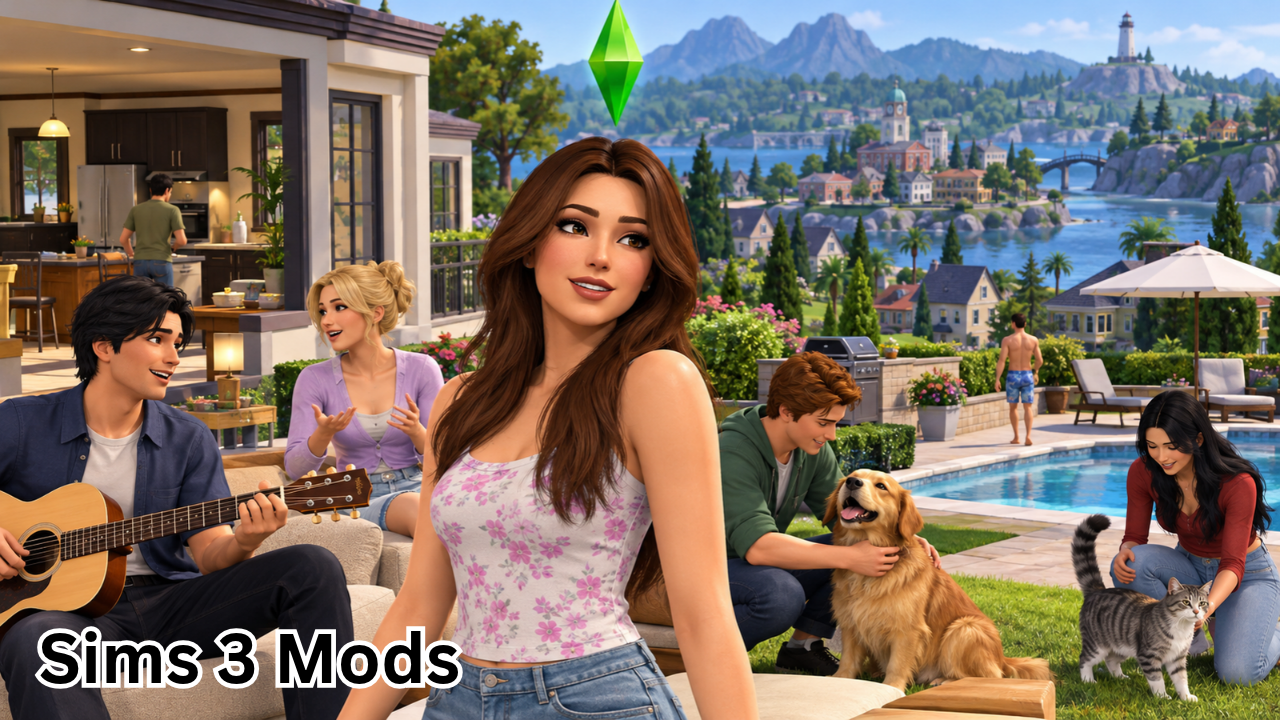
The Sims 3 remains one of the most beloved life simulation games, even years after its original release. Its open neighborhoods, detailed character customization, creative building tools, and unpredictable storytelling continue to attract players around the world. However, if you have spent countless hours exploring the game, you may eventually want new features, better visuals, more realistic interactions, or additional customization options. That is where Sims 3 mods come in.
Mods allow players to personalize their experience in ways that the original game does not always support. From improving performance and expanding gameplay mechanics to introducing new hairstyles, clothing, furniture, and character behaviors, the right modifications can make The Sims 3 feel fresh again.
Whether you are a returning player, a longtime fan, or someone discovering the game for the first time, understanding how mods work can help you build a more enjoyable experience. This guide explains the different types of Sims 3 mods, where to find them, how to install them, and what to consider before adding them to your game.
What Are Sims 3 Mods?
Sims 3 mods are player-created modifications that change, improve, or expand different aspects of The Sims 3. They can adjust existing gameplay systems, introduce new possibilities, or customize the appearance of Sims and their surroundings.
Some mods make everyday activities more realistic, while others focus on convenience, creativity, or technical improvements. Many are free to download, although individual creators may offer optional donations or other support methods.
It is useful to understand the difference between three common types of custom content:
- Gameplay mods: Change how the game works, including relationships, careers, autonomy, and other mechanics.
- Custom content (CC): Adds items such as hairstyles, clothing, makeup, furniture, and decorative objects.
- Default replacements: Replace existing game assets, such as eyes, skin textures, or clothing, with alternative versions.
Although players often use the word “mods” to describe all three categories, they may require different installation methods. Understanding these differences makes it easier to organize downloads and troubleshoot problems.

Why Are Sims 3 Mods So Popular?
The original game offers extensive possibilities, but modifications allow players to shape those possibilities around their personal preferences.
For example, a player who enjoys realistic family storytelling might install improvements to relationships and daily routines. Someone interested in creating beautiful homes might prioritize furniture, architectural objects, and lighting adjustments.
Here are some of the main reasons players use Sims 3 mods.
1. More Realistic Gameplay
Gameplay modifications can make Sims behave differently, introduce additional interactions, and adjust existing systems. Depending on the mod, these changes may affect social relationships, daily schedules, autonomous actions, or the general pace of life in the neighborhood.
Players who enjoy storytelling often appreciate these changes because they can create more varied and personalized experiences.
2. Better Character Customization
Custom content gives players more choices when designing their Sims. New hairstyles, clothing, accessories, makeup, skin details, and eye replacements can help create characters with distinctive appearances.
This is particularly useful for players who enjoy creating detailed families, recreating fictional characters, or developing their own stories.
3. Improved Building and Interior Design
Custom furniture, decorative objects, windows, doors, and architectural elements expand the possibilities of Build and Buy Mode.
With additional content, players can create modern apartments, cozy cottages, luxury mansions, themed bedrooms, or unusual community lots. The available options depend on the creator’s content and any required expansion packs.
4. Performance and Quality-of-Life Improvements
Some modifications focus on technical issues or inconvenient game mechanics rather than adding new objects.
Depending on your setup, appropriate performance-related tools may help reduce certain errors, improve simulation stability, or make everyday management easier. However, no single mod guarantees that every performance issue will disappear, especially on large save files or heavily customized installations.
Best Types of Sims 3 Mods to Explore
There is no single collection that suits every player. The best Sims 3 mods depend on whether you prefer realistic gameplay, creative customization, building, or technical improvements.
The following table summarizes the main categories and what they can offer.
| Mod category | What it changes | Best for |
|---|---|---|
| Gameplay mods | Relationships, autonomy, careers, and interactions | Players seeking deeper gameplay |
| CAS custom content | Hair, clothing, makeup, and accessories | Character creators |
| Build and Buy CC | Furniture, décor, and architectural objects | Builders and interior designers |
| Default replacements | Existing textures, eyes, skin, or other assets | Players seeking a different visual style |
| Performance tools | Certain errors, routing issues, or technical problems | Players experiencing recurring issues |
| Storytelling mods | Additional events, interactions, and simulation possibilities | Roleplayers and storytellers |
| Utility mods | Convenience features and additional controls | Players who want more control |
Before choosing a download, read its description carefully. Some modifications depend on specific expansion packs, game versions, or other installed files.
Where to Download Sims 3 Mods Safely
Finding good-quality content is just as important as choosing the right type of mod. Established community websites are useful starting points because creators can provide descriptions, installation instructions, compatibility information, and support.
Here are three resources worth exploring:
- <Link url=”https://modthesims.info/” title=”Mod The Sims”/> — A long-running community site offering gameplay modifications, custom objects, and detailed installation guides.
- <Link url=”https://www.thesimsresource.com/” title=”The Sims Resource”/> — A popular destination for hairstyles, clothing, furniture, decorative objects, and other custom content.
- <Link url=”https://www.nraas.net/” title=”NRaas Industries”/> — A resource for gameplay and utility mods, including tools that give players more control over different aspects of the simulation.
Before downloading anything, check the creator’s instructions, the supported game version, and the comments or support information available for that specific file. A website’s reputation does not guarantee that every individual download is compatible with your setup.
For better security, avoid suspicious download buttons, executable files from unknown sources, and downloads that require you to disable antivirus protection. Mods should not require you to share your game account password.
How to Install Sims 3 Mods
Installing Sims 3 mods is relatively straightforward once you understand the file formats. The process differs depending on whether you download a .package file or a .Sims3Pack file.
The following instructions describe the common Windows setup. Mac users can follow the same general approach, although folder locations and archive-handling steps may differ.
Step 1: Back Up Your Game
Before installing anything, create a backup of your save files.
Your Sims 3 user folder is usually located at:
Documents\Electronic Arts\The Sims 3
Copy the Saves folder to a separate location. If you already use custom content, consider backing up that folder as well.
This precaution helps protect your progress if a mod causes problems or conflicts with another modification.
Step 2: Set Up the Mods Folder
For .package files, you need a correctly configured Mods framework.
Open your Sims 3 user folder and check whether it contains a folder named Mods. A typical setup looks like this:
Documents
└── Electronic Arts
    └── The Sims 3
        └── Mods
            ├── Packages
            ├── Overrides
            └── Resource.cfg
If these files and folders are missing, follow the installation guide from <Link url=”https://modthesims.info/wiki.php?title=Game_Help:Installing_Sims_3_Package_Files/Setup_and_Files” title=”Mod The Sims’ package-file setup guide”/>. Its framework download helps establish the required structure. <Cite refs={[“turn505631search2”]}/>
Step 3: Install Package Files
Download the mod and extract the archive if it comes in a ZIP, RAR, or 7z file.
Move the extracted .package file into:
Documents\Electronic Arts\The Sims 3\Mods\Packages
Follow any additional instructions provided by the creator, especially for script mods or files with special installation requirements.
Do not place an entire compressed archive in the Packages folder and expect the game to read its contents automatically.
Step 4: Install Sims3Pack Files
Some downloads use the .Sims3Pack format instead.
These files are generally installed through The Sims 3 Launcher:
- Extract the download if it comes inside an archive.
- Place the
.Sims3Packfile in theDownloadsfolder inside your Sims 3 user directory, if necessary. - Open the game Launcher.
- Select the Downloads section.
- Choose the desired content and click Install.
The Launcher-based installation process is different from the manual installation used for .package files. <Cite refs={[“turn505631search6”]}/>
Step 5: Launch the Game and Test
Start The Sims 3 and check whether the new content appears or the modification behaves as expected.
Test the changes in a separate or backed-up save before relying on them in your main game. Some mods only become noticeable after a particular interaction or gameplay event.
If something goes wrong, remove the recently installed files and test again.
Tips for Choosing the Right Sims 3 Mods
With so much custom content available, it is easy to download more than you actually need. A selective approach often produces a better experience.
Keep these tips in mind:
- Read compatibility requirements. Check the required game patch and expansion packs before downloading.
- Start with a small collection. Add a few modifications at a time so you can identify the source of any problem.
- Check for conflicts. Two mods that change the same gameplay resource may not work correctly together.
- Keep track of creators and filenames. Organized folders make updates and troubleshooting easier.
- Review creator instructions. Some mods require dependencies or specific installation steps.
- Back up regularly. Protect your saves before major changes to your mod collection.
- Avoid unnecessary downloads. Installing every available file can increase loading times and make problems harder to diagnose.
You should also distinguish between cosmetic custom content and modifications that alter core gameplay. A new hairstyle may have a different risk profile from a script mod that changes simulation behavior.

Common Sims 3 Mods Problems and How to Fix Them
Even correctly installed modifications can occasionally cause issues. The good news is that many common problems can be investigated systematically.
| Problem | Possible cause | What to try |
|---|---|---|
| Mod does not appear | Incorrect folder or missing framework | Check the file location and Resource.cfg |
| Custom content is missing | Incorrect file format or incomplete installation | Verify the format and reinstall as instructed |
| Game crashes or freezes | Conflicting, outdated, or faulty content | Remove recent additions and test again |
| Game loads slowly | Large amounts of custom content or other performance issues | Test with a smaller collection |
| Sims behave unexpectedly | Conflicting gameplay modifications | Review compatibility notes and test files individually |
| Content disappears after changes | Cache or installation issue | Follow an appropriate cache-clearing or troubleshooting guide |
The exact solution depends on the problem, your installation, and the content involved. The <Link url=”https://modthesims.info/wiki.php?title=Game_Help:Installing_Sims_3_Package_Files” title=”Mod The Sims installation guide”/> provides additional troubleshooting information. <Cite refs={[“turn505631search0″,”turn505631search7”]}/>
One useful technique is to temporarily move your Mods folder out of the Sims 3 user directory and launch the game without those files. If the issue disappears, test the modifications in small groups until you identify the likely cause.
Avoid saving your main game while testing major changes if you are unsure how they affect your Sims or world.
Frequently Asked Questions About Sims 3 Mods
1. Are Sims 3 mods free to download?
Many Sims 3 mods and custom-content items are available for free. Community sites such as Mod The Sims and NRaas provide resources that players can explore without purchasing individual modifications. Some creators also offer optional paid memberships, early access, or donation options, so check the terms for each download.
2. Are Sims 3 mods safe to use?
Mods from established community sources are a sensible starting point, but no download is guaranteed to be safe or compatible. Review the creator’s reputation, scan downloaded archives when appropriate, and avoid suspicious installers. Always back up your saves before adding new content.
3. Can I install Sims 3 mods without expansion packs?
Yes, many modifications work with the base game. However, others require particular expansion packs or stuff packs because they modify features introduced by those releases. Read the requirements carefully before downloading a mod.
4. Why are my Sims 3 mods not showing up?
The most common reasons include placing a .package file in the wrong folder, missing the required Mods framework, using an incompatible file, or incorrectly installing a .Sims3Pack download. Check the file format and follow the appropriate installation instructions.
5. Can Sims 3 mods slow down my game?
Yes. Large collections of custom content, conflicting modifications, and certain resource-intensive files can increase loading times or contribute to instability. Start with a small collection, remove content you no longer use, and test your game when problems occur.
6. Can I use multiple Sims 3 mods at the same time?
Yes, many players use several modifications together. However, compatibility depends on what each mod changes. Two modifications that alter the same game systems may conflict, so review their requirements and test new additions before using them in your main save.
Final Thoughts
Sims 3 mods offer an excellent way to make a classic life simulation game feel more personal, creative, and engaging. Whether you want more realistic interactions, distinctive character designs, better building options, or useful gameplay adjustments, there is a wide variety of community-created content to explore.
The key is to choose modifications that match your interests, download them from reputable sources, and install them correctly. Take time to read compatibility requirements, organize your files, and keep backups of your saves. These simple habits can help you avoid many common problems.
If you are new to modding, start with a few carefully selected downloads instead of installing a large collection at once. Once you understand how different file formats and modifications work, you can gradually expand your setup.
With the right combination of Sims 3 mods, you can discover new ways to play, create more memorable stories, and enjoy returning to The Sims 3 for years to come.
Also Read : MSN Weather: Features, Forecasts, Radar Maps, and How to Use It








Leave a Reply