

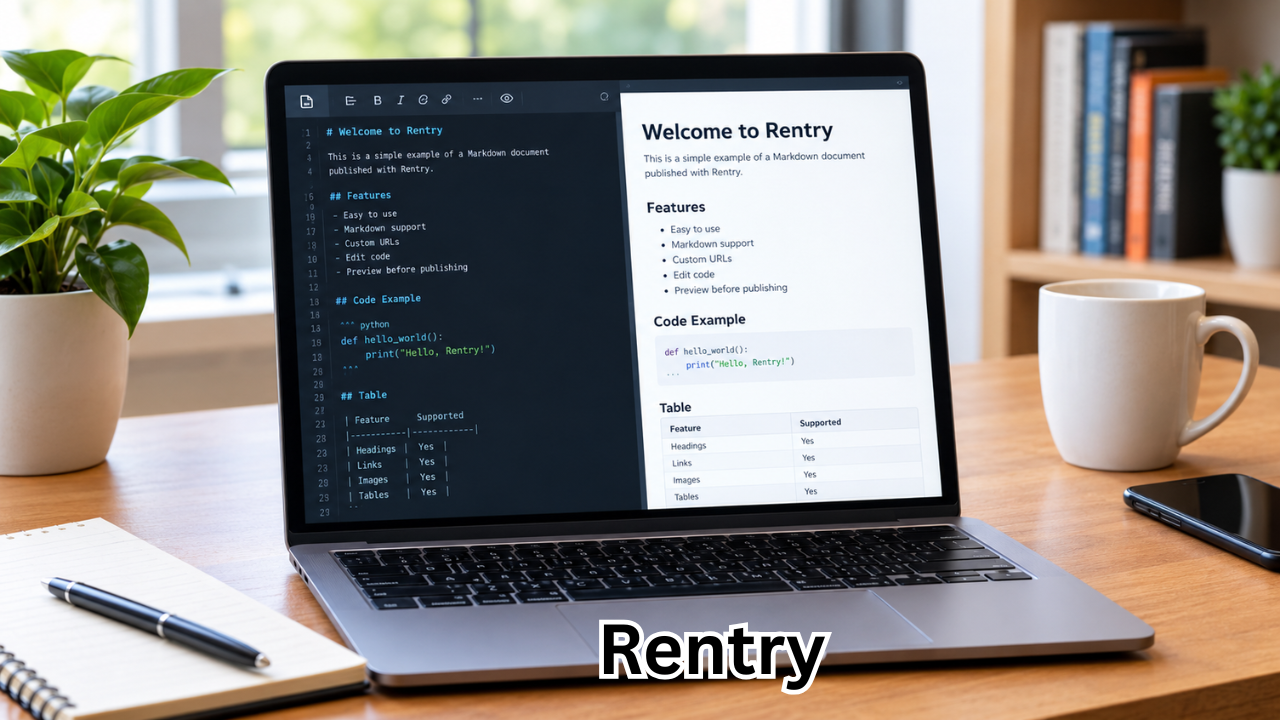
The internet is full of tools for sharing information, but many of them are packed with features that can make simple publishing feel unnecessarily complicated. Rentry takes a different approach. It provides a straightforward way to create and share online pages using Markdown, making it useful for notes, guides, documentation, text collections, and other written content.
Rentry is often described as a Markdown-powered paste and publishing service. Users can write or paste content, preview the result, and publish it through a shareable URL. The platform also supports custom URLs and editing through an edit code.
For people who want a lightweight place to publish formatted text without setting up a complete website or blog, Rentry can be an interesting option.
What Is Rentry?
Rentry is an online Markdown paste and publishing service designed primarily for written content. Instead of requiring users to build a full webpage, it lets them create a simple page by entering Markdown-formatted text.
Once published, the content receives a URL that can be shared with other people.
The service supports common Markdown features such as headings, lists, links, tables, images, code blocks, and other formatting elements. Its official documentation also describes additional features for customizing pages and their appearance.
Rentry can therefore sit somewhere between a traditional pastebin and a lightweight publishing platform.
It is particularly useful when the goal is to share information quickly rather than build a complete website.
How Does Rentry Work?
The basic concept behind Rentry is simple.
You prepare your content, format it with Markdown if needed, preview it, and publish it. The resulting page can then be opened through its Rentry URL.
One useful feature is that an entry can have an edit code. This code allows the creator to return to the page and make changes later. According to the official Rentry client documentation, users can create entries with custom URLs and edit codes or allow randomly generated values to be created automatically.
The basic workflow looks like this:
- Open Rentry.
- Enter or paste your content.
- Format the content using Markdown.
- Preview the page.
- Choose a URL if desired.
- Set or save the edit code.
- Publish the entry.
- Share the resulting URL.
This makes Rentry relatively easy to understand, even for someone who has never worked with Markdown before.

Key Features of Rentry
Rentry’s appeal comes largely from its combination of simplicity and useful publishing features.
Markdown Support
Markdown is at the heart of Rentry.
Instead of manually changing fonts, spacing, and formatting through complicated menus, users can use Markdown syntax to structure their content.
For example, Markdown can be used to create:
- Headings
- Bold and italic text
- Numbered lists
- Bullet lists
- Links
- Tables
- Images
- Code sections
- Blockquotes
Rentry’s official page documents support for tables, links, images, admonitions, and other Markdown-related formatting.
This makes it especially convenient for people who already use Markdown for technical writing or documentation.
Custom URLs
A useful Rentry feature is the ability to create a custom URL when publishing an entry.
Rather than relying entirely on a randomly generated address, users can request a specific URL when it is available. The official client documentation shows that a URL can be supplied when creating an entry, while Rentry’s own URL-request page provides additional rules for claiming certain previously used addresses.
A short, memorable URL can make a shared document easier to communicate.
Editing Published Pages
Publishing a page does not necessarily mean the content is permanently frozen.
Rentry uses an edit-code system that allows creators to modify existing entries. The official documentation explains that the edit code is used to edit an existing entry and can also be used with other operations.
This is useful for documents that need occasional updates.
For example, someone creating a software guide could publish the guide today and update instructions later without creating an entirely new page.
Preview Before Publishing
Rentry provides a preview-oriented workflow so users can see how Markdown will appear before publishing.
This is helpful because Markdown syntax is primarily text-based. A preview allows writers to catch formatting mistakes before sharing the final page.
For people unfamiliar with Markdown, this can make the transition from plain text to formatted content much easier.
Page Metadata and Customization
Rentry also includes a metadata system that goes beyond basic text formatting.
Its official documentation lists metadata options for page titles, descriptions, images, sharing information, accessibility preferences, safety warnings, and content presentation.
For example, the documentation states that PAGE_TITLE controls the browser tab title, while PAGE_DESCRIPTION can be used for search-engine and content snippets.
These features give experienced users more control over how their published pages are presented.
Rentry vs. Traditional Pastebin Services
Rentry may look similar to a conventional pastebin, but there are some important differences.
Traditional pastebin services are often associated with quickly sharing raw text or code. Rentry places greater emphasis on Markdown-based written pages and lightweight publishing.
Here’s a simple comparison:
| Feature | Rentry | Basic Pastebin |
|---|---|---|
| Markdown formatting | Yes | Varies |
| Custom URLs | Supported | Depends on service |
| Editable pages | Yes, using edit codes | Depends on service |
| Tables | Supported | Often limited |
| Images | Supported through Markdown | Varies |
| Page metadata | Supported | Usually limited |
| Preview | Available | Depends on service |
| Best suited for | Notes, guides, documents, formatted text | Quick text or code sharing |
The exact capabilities of other pastebin services vary, so this table is intended as a general comparison rather than a universal rule.
Common Uses for Rentry
Rentry can be used for many different types of written material.
Notes and Personal Documents
A person may want to publish a short collection of notes without creating a full website.
Rentry provides a convenient way to turn Markdown text into a shareable webpage.
Guides and Tutorials
Rentry can also work well for tutorials.
A Markdown document can contain headings, lists, links, tables, images, and code examples, which makes the format suitable for instructional material.
Technical Documentation
Developers and technical users can use Rentry to share documentation, configuration notes, instructions, and examples.
The official Rentry project also provides a Python client and command-line interface, allowing users to create, edit, fetch, and manage entries programmatically.
Temporary or Lightweight Publishing
Not every piece of information deserves a complete website.
Sometimes you simply need a clean page that can be shared through a link.
Rentry can fill that role without requiring users to configure hosting, install a content management system, or design a webpage from scratch.
How to Use Markdown on Rentry
Markdown may look unfamiliar at first, but the basics are easy to learn.
For example, a heading can be created with a hash symbol:
# Main Heading
A smaller heading can be written as:
## Section Heading
Bold text can be created with double asterisks:
**Important text**
A bullet list can be written using hyphens:
- First item
- Second item
Links can also be written using standard Markdown syntax.
Rentry’s documentation provides examples covering links, images, tables, admonitions, and other formatting options.
Once the basic syntax becomes familiar, creating a structured Rentry page can be considerably faster than manually formatting a webpage.
Rentry for Developers
Although Rentry is primarily useful for written content, developers can also interact with the service programmatically.
The official Rentry GitHub project provides Python clients and a command-line tool. The documented commands include creating new entries, editing existing ones, retrieving raw Markdown, fetching entry details, deleting entries, and updating entry settings.
This can be useful when Rentry needs to become part of an automated workflow.
For example, a developer could generate Markdown from another application and then send that content to Rentry rather than manually copying and pasting it each time.
The project documentation also explains that the command-line tool can accept content from a file, which can simplify automated publishing workflows.
Is Rentry Useful for SEO?
Rentry includes features that are relevant to search presentation, but that does not mean every Rentry page will automatically rank highly in Google.
Its metadata documentation specifically includes page-title and page-description options, with the description identified as information used by search engines and content snippets.
However, search rankings depend on many factors.
A page still needs useful, original content and should satisfy the intent behind the search query. Technical metadata alone cannot guarantee visibility.
If you’re using Rentry for content that you want people to discover through search engines, consider:
- Writing genuinely useful content.
- Creating descriptive titles.
- Using clear headings.
- Answering the reader’s main question early.
- Avoiding unnecessary keyword repetition.
- Adding relevant links where appropriate.
- Keeping information accurate and up to date.
- Making the page easy to read.
Rentry can provide the publishing infrastructure, but the quality of the content remains important.
Benefits of Using Rentry
There are several reasons someone might choose Rentry over a more complicated publishing system.
Simple publishing: You can create a formatted page without managing an entire website.
Markdown-based workflow: Writers familiar with Markdown can format content quickly.
Shareable URLs: Published pages can be shared through a direct web address.
Editing capability: An edit code allows published entries to be modified later.
Customization: Metadata gives experienced users additional control over page presentation.
Developer support: Official Python tools make automated workflows possible.
Things to Keep in Mind
Rentry is convenient, but users should still think carefully about what they publish.
An online page should not automatically be treated as a private storage location simply because it is not widely advertised.
Before publishing sensitive information, consider whether the material actually needs to be online.
It is also important to protect your edit code. If someone obtains the credentials needed to modify your page, they may be able to make unwanted changes depending on the page’s configuration.
For important documents, keep a backup of the original content somewhere you control.
Frequently Asked Questions About Rentry
What is Rentry used for?
Rentry is used to publish and share Markdown-formatted text online. Common uses include notes, guides, documentation, tutorials, text collections, and lightweight webpages.
Is Rentry free to use?
Rentry is publicly available as a Markdown paste and publishing service. Specific features and service policies can change, so users should check the official Rentry website for the latest information.
Can I edit a Rentry page after publishing it?
Yes. Rentry supports editing through an edit code. The official client documentation includes commands for editing existing entries and managing edit codes.
Does Rentry support Markdown?
Yes. Markdown is one of Rentry’s central features. The service supports formatting such as headings, lists, links, tables, images, and other Markdown-related elements.
Can I create a custom Rentry URL?
Yes. Rentry supports custom URLs when available. Its official documentation explains how custom URLs can be supplied when creating entries, while the website provides a process for requesting certain previously claimed URLs.
Can developers use Rentry programmatically?
Yes. The official Rentry GitHub project provides Python clients and a command-line interface with functionality for creating, editing, fetching, deleting, and updating entries.
Final Thoughts
Rentry is a useful example of how a simple publishing tool can remain practical in an internet filled with increasingly complex platforms.
Its Markdown-first approach makes it suitable for people who want to turn plain text into a readable online document without building a full website. Features such as custom URLs, edit codes, previews, metadata, tables, images, and developer tools add flexibility without changing the platform’s basic purpose.
For casual notes, guides, documentation, tutorials, and other text-based projects, Rentry can provide a convenient middle ground between a basic text paste and a full publishing platform.
The most important thing is to use it for the right purpose: create useful content, format it clearly, protect your editing credentials, and keep backups of information that matters.
Also Read : How Much Does GoFundMe Take? A Complete Guide to GoFundMe Fees









Leave a Reply