

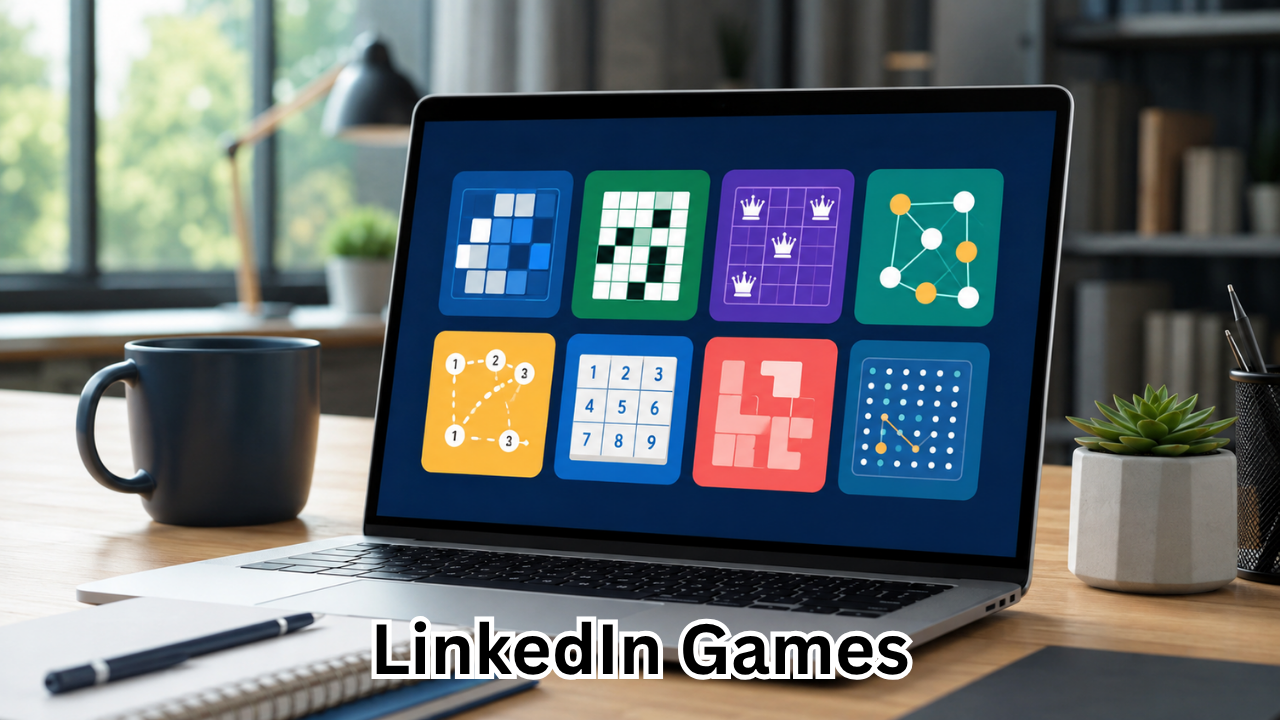
LinkedIn is best known as a professional networking platform, but it has gradually added a more playful way for users to spend a few minutes each day. LinkedIn games are short, thinking-focused puzzles designed to provide a quick mental break while giving professionals another way to interact with their network.
Unlike traditional online games, LinkedIn’s puzzles are built around words, logic, trivia, patterns, and problem-solving. They are designed to be quick enough for a coffee break but challenging enough to make you think.
The platform currently offers several daily games, including Pinpoint, Crossclimb, Queens, Tango, Zip, Mini Sudoku, Patches, and Wend. New puzzles are released daily, making the experience similar to a daily puzzle routine rather than an endless gaming platform.
Whether you are curious about LinkedIn games today, want to know how to access them, or simply want to understand why they have become popular among professionals, this guide covers everything you need to know.
What Are LinkedIn Games?
LinkedIn games are short daily puzzles available through LinkedIn. They focus primarily on mental skills rather than action, competition, or entertainment in the traditional gaming sense.
The idea is simple: open LinkedIn, choose a puzzle, solve it, and optionally compare your results with other people in your professional network.
LinkedIn describes its games as thinking-oriented activities intended to sharpen your mind, provide a quick break, encourage conversations, and create opportunities for friendly competition. Any LinkedIn member can play them, and LinkedIn also provides a guest mode for people who are not signed in.
The games are particularly interesting because they combine casual puzzle solving with LinkedIn’s existing social features. Players can view leaderboards, track streaks, share scores, and see which connections have participated, depending on their visibility settings.

What LinkedIn Games Are Available?
LinkedIn’s current Games section includes a variety of puzzle styles. Each game requires a different type of thinking, so you may find one particularly enjoyable depending on whether you prefer words, numbers, logic, or spatial challenges.
| LinkedIn Game | Type of Puzzle | Main Challenge |
|---|---|---|
| Pinpoint | Word association | Find the category connecting the clues |
| Crossclimb | Trivia and word ladder | Arrange words and solve the ladder |
| Queens | Logic puzzle | Place queens correctly on the grid |
| Tango | Logic puzzle | Complete the grid using matching rules |
| Zip | Path puzzle | Connect numbers while filling the grid |
| Mini Sudoku | Number puzzle | Complete the Sudoku-style grid |
| Patches | Spatial logic | Build shapes that fit the clues |
| Wend | Word puzzle | Find hidden words using every letter |
LinkedIn currently lists all eight of these games in its Games hub.
Pinpoint: A Game of Word Associations
Pinpoint is a word-association game that asks you to identify the common category connecting a series of clues.
You begin with one clue and try to determine what connects it to the hidden answers. If you need more information, additional clues can be revealed. The goal is to identify the category while revealing as few clues as possible.
This game is particularly appealing to people who enjoy vocabulary, general knowledge, and lateral thinking.
A useful strategy is to avoid immediately focusing on the most obvious meaning of a clue. Think about alternative meanings, phrases, names, objects, categories, and associations.
Crossclimb: Combine Trivia With Word Skills
Crossclimb combines trivia and wordplay in a ladder-style puzzle.
The words need to be arranged so that each word differs from the previous one by one letter. Solving the ladder helps reveal additional clues that complete the puzzle.
Because Crossclimb combines vocabulary with general knowledge, it can feel very different from a conventional crossword puzzle. You need to think about both the meaning of individual words and their relationship to neighboring words.
If you enjoy word games but also like trivia, Crossclimb may quickly become one of your favorite LinkedIn games.
Queens: A Test of Logic
Queens is a grid-based logic puzzle. Your objective is to place queens while following the rules of the grid.
The challenge is not simply putting a queen anywhere you want. You need to consider rows, columns, and colored regions while making sure your placements satisfy the puzzle’s restrictions.
Queens is a good option if you prefer logical deduction over vocabulary or trivia.
The best approach is usually to look for the most constrained areas first. Instead of guessing, use the information already provided by the board to eliminate impossible positions.
Tango: A Simple Idea With Challenging Logic
Tango is another logic-focused LinkedIn game. Players fill a grid using two different symbols while following several rules.
Each row and column must contain an equal number of the two symbols. Players must also avoid placing more than two identical symbols consecutively. Additional relationships between cells provide more clues.
Tango can look simple when you first see the board, but completing the entire grid without violating the rules requires careful deduction.
One useful technique is to look for groups where two identical symbols are already together. The surrounding cells may then become much easier to determine.
Zip: Connect the Numbers
Zip is a path-based logic game. You need to draw one continuous path through the grid while connecting numbered cells in sequence and filling every cell.
Some puzzles also contain walls that your path cannot cross. This means you have to think several moves ahead instead of simply following the most obvious route.
Zip is ideal for people who enjoy spatial reasoning and maze-style challenges.
When solving it, avoid rushing toward the next number. Consider whether a particular move could accidentally isolate an unused part of the grid.
Mini Sudoku: A Familiar Classic
Mini Sudoku brings the familiar Sudoku concept to a smaller format.
Instead of committing to a lengthy traditional Sudoku session, you can complete a compact puzzle in a relatively short amount of time.
The objective is to place numbers so that the puzzle’s rows, columns, and regions satisfy the required conditions. It is a natural choice for people who already enjoy number puzzles.
If you are new to Sudoku, starting with a mini version can also be less intimidating than tackling a large puzzle.
Patches: A Spatial Puzzle
Patches is a spatial logic game in which players complete shapes throughout a grid.
Each shape must follow the clues provided on the board, and the objective is to fill the entire grid without overlapping shapes. Every cell must belong to exactly one shape, while each shape must include its associated clue cell.
This makes Patches particularly different from the word-based games on LinkedIn.
It rewards patience and visual reasoning. Instead of concentrating on individual clues in isolation, look at how each possible shape affects the remaining space.
Wend: Find Hidden Words
Wend is designed for people who enjoy word searches but want a more structured challenge.
You connect adjacent letters to form hidden words. The important twist is that every letter in the grid must be used exactly once, and the words cannot overlap.
That rule changes the way you approach the puzzle. Finding one word can influence the possibilities for every other word.
Rather than searching randomly, pay attention to unusual letter combinations and the number of letters required for each remaining answer.
How to Access LinkedIn Games
Finding LinkedIn games is relatively straightforward.
You can access them through several areas of the platform, including:
- The LinkedIn Games hub
- LinkedIn Search
- The My Network page
- The Today’s Games section under LinkedIn News on desktop
- The games section in the LinkedIn mobile app
- LinkedIn notifications
LinkedIn also provides a dedicated Games page where players can browse the available puzzles.
For the simplest option, visit the official LinkedIn Games hub and choose the puzzle you want to play.
Can You Play LinkedIn Games Without an Account?
Yes. LinkedIn allows games to be played in guest mode without signing into an account.
However, guest mode has several limitations. Your game score is stored for only 30 minutes, your gaming activity is not saved, and you cannot maintain a daily streak. Guest players also cannot access leaderboards or see connections who have played.
If you want the full social experience, signing into LinkedIn makes more sense.
Why Are LinkedIn Games Popular?
The popularity of LinkedIn games comes partly from their simplicity.
You do not need to install a separate application, learn complicated controls, or spend an hour playing. A puzzle can be completed during a short break between meetings, tasks, or study sessions.
There is also a social element.
LinkedIn allows players to share scores and participate in leaderboards. Your results can become an easy conversation starter with colleagues, friends, or professional connections.
The platform introduced its first three games—Pinpoint, Queens, and Crossclimb—in 2024 specifically with the idea of encouraging friendly competition and conversations among professionals.
LinkedIn Games and Daily Streaks
Daily play is another part of the experience.
LinkedIn provides streak tracking that records consecutive days of game activity and allows players to reach different milestones. Your streak remains private unless you choose to share it.
This creates a simple incentive to return regularly.
Instead of playing for hours, you can establish a small daily habit: open LinkedIn, complete a puzzle, check your score, and continue with your day.
For many people, that is enough to make the games feel rewarding without becoming a major time commitment.
Are LinkedIn Games Good for Your Brain?
Puzzle games can encourage several types of mental activity, including pattern recognition, vocabulary recall, logical deduction, spatial reasoning, and problem-solving.
However, it is important not to overstate their benefits. Completing a daily LinkedIn puzzle should be viewed primarily as a short mental exercise and recreational activity rather than a guaranteed way to improve intelligence or prevent cognitive problems.
The biggest practical advantage is that the games encourage you to pause and think.
A few minutes spent solving a puzzle can also be a refreshing alternative to endlessly scrolling through a social media feed.
Tips for Getting Better at LinkedIn Games
If you want to improve your scores, focus on your approach rather than simply playing faster.
1. Learn the Rules First
Every game has a specific objective. Understanding the rules before making moves prevents unnecessary mistakes.
2. Look for Constraints
In logic games such as Queens, Tango, and Zip, restrictions are often more useful than obvious moves.
Ask yourself what cannot happen. Eliminating impossible choices can reveal the correct answer.
3. Do Not Guess Too Quickly
A quick guess might save a few seconds, but it can also create problems later. When possible, use the information already available on the board.
4. Practice the Same Game Regularly
Each game develops a different style of thinking. Playing the same puzzle type repeatedly helps you recognize familiar patterns.
5. Use Hints Strategically
Some LinkedIn games provide hints or assistance features. If you are completely stuck, using a hint can help you understand the puzzle instead of abandoning it.
6. Focus on Accuracy Before Speed
Once you understand the mechanics, speed naturally becomes easier to improve.
Trying to rush from the beginning can lead to avoidable mistakes.
Can You Compete With Your LinkedIn Connections?
Yes. One of the most distinctive parts of LinkedIn games is their connection-based competition.
Players can see how they compare with eligible connections through leaderboards, while game scores can also be shared with the network. Visibility depends on the relevant settings and whether people choose to participate.
This gives the games a professional-social element that ordinary puzzle websites do not necessarily provide.
For example, a simple daily puzzle can become an informal challenge between coworkers: who solved it fastest, who made fewer mistakes, or who can maintain the longest streak?
Are There Prizes for LinkedIn Games?
There are currently no prizes for solving LinkedIn’s daily games.
The motivation is instead based on the puzzle itself, personal progress, streaks, and friendly competition. LinkedIn specifically states that there are no prizes for completing the games.
That makes them more comparable to daily brain teasers than competitive gaming tournaments.
LinkedIn Games vs. Traditional Online Games
LinkedIn games are different from conventional online games in several important ways.
Traditional games often involve longer sessions, detailed graphics, characters, stories, or multiplayer mechanics. LinkedIn’s puzzles are deliberately lightweight.
Their main characteristics are:
- Short play sessions
- Daily puzzles
- Mental challenges
- Minimal learning curve
- Professional networking integration
- Score sharing
- Connection leaderboards
- Daily streaks
The experience is designed to fit naturally into the professional environment where LinkedIn is already used.
Frequently Asked Questions About LinkedIn Games

What are LinkedIn games?
LinkedIn games are short daily puzzles available through LinkedIn. They include word, trivia, logic, number, spatial, and path-based challenges such as Pinpoint, Crossclimb, Queens, Tango, Zip, Mini Sudoku, Patches, and Wend.
Are LinkedIn games free to play?
Yes. LinkedIn’s games are available to users without a separate game purchase or subscription. LinkedIn also offers guest access, although some features are limited when you are not signed in.
How often are new LinkedIn games released?
A new puzzle for each game is released daily at midnight Pacific Time. Previous daily puzzles expire when the new puzzle becomes available.
Can I play LinkedIn games without logging in?
Yes. Guest mode allows people to play without signing into LinkedIn. However, guest players cannot maintain streaks, access leaderboards, or save their gaming activity permanently.
Can my employer see my LinkedIn game scores?
Your score is private unless you choose to participate in the connections leaderboard or share the score. LinkedIn states that eligible connections, including employers or recruiters in your network, may see your score if they also participate in the relevant leaderboard.
What is the best LinkedIn game?
There is no single best game because each one tests different skills. Pinpoint is a good choice for word association, Crossclimb combines trivia and vocabulary, Queens and Tango focus on logic, while Zip emphasizes spatial pathfinding. Trying several games is the easiest way to find your favorite.
Final Thoughts
LinkedIn games have added an unexpected but useful layer of entertainment to a platform traditionally associated with jobs, networking, and professional content.
Their appeal is straightforward: the puzzles are quick, accessible, and varied. You can spend a few minutes solving a word challenge, working through a logic grid, completing a number puzzle, or competing with people in your network.
The social features make the experience even more interesting. Scores, streaks, and leaderboards can turn an otherwise solitary puzzle into a friendly daily competition.
If you have never tried them, the easiest way to start is to visit the LinkedIn Games hub and choose a puzzle that matches your interests. You may discover that a platform built around professional networking can also provide a surprisingly enjoyable daily brain break.
Also Read : Unblocked Games WTF: A Complete Guide to Browser Games You Can Play Anywhere











Leave a Reply