

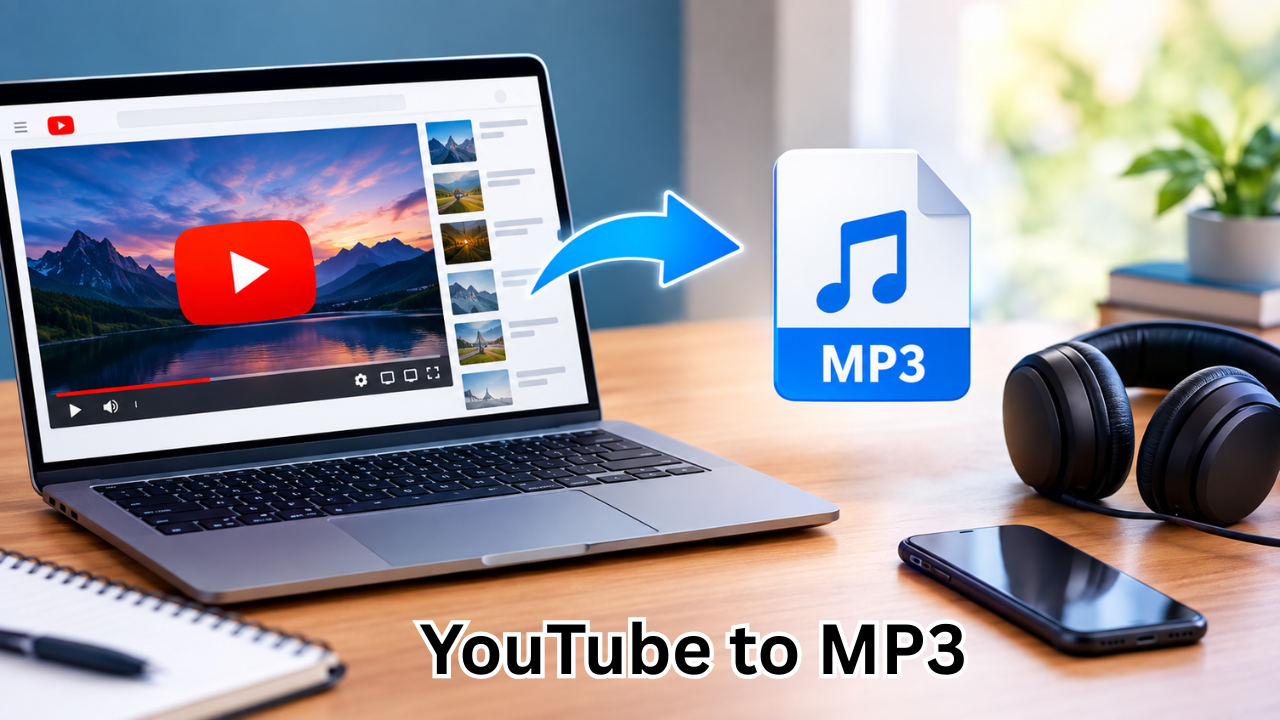
YouTube has become one of the biggest destinations for music, podcasts, interviews, educational content, live performances, and other forms of audio-visual entertainment. While the platform is primarily designed for online streaming, there are times when people want to listen to the audio from a video without keeping the video open.
This is where YouTube to MP3 tools come into the picture.
A YouTube to MP3 converter is generally a service or software application that extracts audio from a YouTube video and saves it as an MP3 file. The resulting file can potentially be played on compatible devices and music applications without repeatedly streaming the original video.
However, choosing and using these services requires some care. Not every converter is reliable, and some websites may contain aggressive advertisements, misleading download buttons, unwanted software, or questionable privacy practices.
This guide explains how YouTube to MP3 conversion works, what to consider when choosing a converter, common advantages and limitations, audio quality, safety concerns, and the legal side of downloading online content.
What Is YouTube to MP3?
YouTube to MP3 refers to the process of converting the audio portion of a YouTube video into an MP3 audio file.
The basic idea is straightforward. A user provides the URL of a YouTube video to a conversion service. The service processes the video and produces an audio file, usually in MP3 format.
MP3 is one of the most widely supported digital audio formats. It uses compression to reduce file size while maintaining reasonable sound quality, making it convenient for everyday listening.
Depending on the service, users may encounter different output options, such as various audio bitrates or alternative formats.
The important point is that the conversion process concerns the audio portion of the video rather than creating another video file.
How Does a YouTube to MP3 Converter Work?
Although different services use different technologies, the general process tends to follow a similar pattern.
First, the user identifies the YouTube video they want to process. The video’s URL is then copied and entered into a compatible conversion service.
The service analyzes the supplied link and processes the available media. It separates or extracts the audio stream and prepares it for conversion.
Finally, the service provides an audio file that can be saved to the user’s device, assuming the content and service permit downloading.
A simplified process looks like this:
- Find the YouTube video.
- Copy its URL.
- Open a reputable conversion service.
- Paste the URL into the appropriate field.
- Select MP3 or the available audio option.
- Start the conversion.
- Save the resulting audio file when permitted.
The exact interface varies from one service to another, so users should always pay attention to what they are clicking.
Why Do People Use YouTube to MP3 Tools?
There are several reasons someone might want an audio-only version of online content.
One common reason is convenience. Audio files generally require less storage than videos, particularly when the visual portion of a video is unnecessary.
For example, someone listening to a long interview may not need to keep the video portion playing. Similarly, educational lectures, spoken-word content, and podcasts can sometimes be more convenient in an audio format.
Other potential reasons include:
- Listening without repeatedly opening a video page
- Reducing the amount of storage used by media
- Creating an audio collection from content the user is authorized to download
- Playing compatible audio files on supported devices
- Listening to spoken content while performing other activities
- Using an audio player instead of a video application
The usefulness depends heavily on the type of content and the user’s intended purpose.

YouTube to MP3 vs. Streaming
Streaming and downloading serve different purposes.
When streaming, the content is delivered over an internet connection whenever it is played. A converted MP3 file, on the other hand, is stored locally on a device.
Here is a basic comparison:
| Feature | Streaming YouTube | YouTube to MP3 |
|---|---|---|
| Internet connection | Usually required | Usually not required after saving |
| Video included | Yes | No |
| File stored locally | No | Yes |
| Storage requirement | Minimal local storage | Requires device storage |
| Convenience for audio | Depends on platform | Useful for compatible local playback |
| Quality options | Controlled by platform | Depends on converter and source |
| Content rights | Governed by platform and uploader | User must consider applicable rights |
Neither option is automatically better. The right choice depends on how someone wants to access the content.
Choosing a Safe YouTube to MP3 Converter
Search results can contain hundreds of conversion websites, but they are not all equally trustworthy.
A professional-looking homepage does not necessarily mean that a service is safe. Users should evaluate a converter before interacting with it.
Look for a Clean and Understandable Interface
A trustworthy service should make its main function easy to understand.
Be cautious if a website displays several large download buttons, unexpected pop-ups, or instructions that appear unrelated to the conversion process.
A confusing interface can make it easy to click an advertisement instead of the intended control.
Avoid Unnecessary Software
A browser-based conversion service should not normally require you to install unrelated programs simply to process a URL.
Be particularly careful with unexpected executable files, browser extensions, or applications that claim to be mandatory.
If a website insists that you disable security protections before continuing, that is another reason to reconsider using it.
Check Privacy Practices
Users should think about what information a website collects.
A reputable service should provide understandable information about its privacy practices. Avoid entering personal information when it is unnecessary for the task.
Never provide passwords, payment information, or other sensitive credentials to a conversion website merely to download an audio file.
Watch for Fake Download Buttons
One of the most common problems with free conversion websites is advertising designed to resemble the actual download button.
Before clicking, check the page carefully. If clicking a button opens a new tab, redirects somewhere unexpected, or requests unrelated permissions, close the page rather than continuing.
Understanding MP3 Audio Quality
Audio quality is another important consideration.
MP3 files use lossy compression. This means some audio information is removed during encoding to reduce the file size.
Bitrate is often used to describe the amount of audio data processed per second. Higher bitrates generally allow more audio information to be retained, although the final result also depends on the original source and encoding process.
Common MP3 bitrate levels include:
- 128 kbps: Smaller files, but noticeable compression can occur.
- 192 kbps: A reasonable middle ground for many listeners.
- 256 kbps: Higher quality with a larger file size.
- 320 kbps: A commonly recognized high-bitrate MP3 option.
However, choosing the highest bitrate does not magically improve a poor-quality source.
If the original YouTube audio is already compressed or low quality, converting it to a higher bitrate cannot restore information that was never present.
In other words, higher bitrate does not always mean better source quality.
What Makes a Good YouTube to MP3 Service?
A useful converter should prioritize simplicity, reliability, and transparency.
Some characteristics worth considering include:
- Straightforward URL input
- Clear download controls
- Reasonable processing speed
- No unnecessary registration
- No suspicious software requirements
- Transparent privacy information
- Support for commonly used browsers
- Clear information about available output quality
- Minimal intrusive advertising
Users should also remember that online services can change over time. A website that appears reliable today may have different policies or behavior later.
For that reason, basic caution should always remain part of the process.
Legal and Copyright Considerations
One of the most important aspects of YouTube to MP3 conversion is understanding content rights.
A video being publicly available on YouTube does not automatically mean that everyone has permission to download, reproduce, distribute, or commercially use it.
Copyright rules differ between countries and circumstances. Some content may be provided under licenses that allow reuse, while other material may be protected by copyright.
Before converting or saving content, consider whether you have permission or whether the applicable license or law allows the intended use.
Legitimate examples can include content that you created yourself, material specifically made available for downloading, or content for which you have appropriate permission.
Users should not assume that a conversion tool itself grants permission to copy copyrighted material.
When in doubt, check the content creator’s terms, the video’s licensing information, and the applicable laws in your location.
Common Problems With YouTube to MP3 Conversion
Not every conversion attempt works perfectly.
A converter may fail because the source video is unavailable, the URL is incorrect, the service does not support a particular video, or the website is experiencing technical problems.
Other common issues include:
Poor Audio Quality
The resulting file may sound noticeably worse than expected.
This can happen because of the original video’s audio quality or because the converter uses aggressive compression.
Conversion Errors
Sometimes a service simply cannot process a particular URL.
Trying again later or using content that is supported by the service may resolve the issue, but users should avoid repeatedly visiting suspicious websites when something seems wrong.
Unexpected Redirects
Some free services rely heavily on advertising. Clicking the wrong element may result in redirects or unwanted browser tabs.
Close unexpected pages rather than interacting with unfamiliar prompts.
Large or Unnecessary Files
Some services may create files that are larger than expected. Choosing an appropriate audio quality can help balance sound quality and storage requirements.
How to Keep Your Device Safe
Online media tools should be used carefully, particularly when they involve downloading files.
A few simple habits can reduce unnecessary risks:
- Keep your operating system updated.
- Use a reputable browser.
- Keep security software enabled.
- Avoid unknown executable downloads.
- Do not install extensions you do not recognize.
- Never enter passwords into suspicious conversion sites.
- Be cautious with websites that demand unnecessary permissions.
- Scan unfamiliar downloaded files when appropriate.
- Close unexpected pop-ups instead of following their instructions.
The goal is not simply to find a converter that works. It is to find a way to accomplish the task without exposing your device or personal information to unnecessary risk.
Are YouTube to MP3 Converters Free?
Many online YouTube to MP3 services advertise themselves as free.
However, “free” does not always mean that there are no trade-offs.
Some websites generate revenue through advertising, while others may offer paid upgrades for additional features. Advertising itself is not necessarily a problem, but excessive or deceptive advertising can make a website difficult to use safely.
Users should also be skeptical of services that unexpectedly request payment information for a basic conversion or make unclear claims about subscriptions.
Always read the page carefully before accepting any offer.
Alternatives to YouTube to MP3 Conversion
For users who primarily want convenient offline listening, there may be legitimate alternatives depending on the content and platform.
Official music and video services sometimes provide offline playback through their own applications and subscription plans.
For creators, another option is to publish downloadable audio directly through a website or another platform. This gives listeners a clear and authorized way to access the material.
If you own the original video, you can also maintain your own audio files and make them available through appropriate channels.
These alternatives can provide a more predictable experience while respecting content ownership.
Tips for Better Results
If you are using a conversion method for content you are authorized to download, a few habits can make the process smoother.
First, start with the best-quality source available. A low-quality source cannot be turned into genuinely high-quality audio simply by selecting a larger output bitrate.
Second, check the URL before processing it. Make sure you have copied the intended video rather than an unrelated page.
Third, pay attention to the output file. Check its format, size, and playback compatibility before moving it to another device.
Finally, keep your expectations realistic. Conversion tools cannot overcome limitations in the original media.
Frequently Asked Questions
What is YouTube to MP3?
YouTube to MP3 generally describes converting the audio portion of a YouTube video into an MP3 file. The resulting file can be played with compatible audio software and devices, subject to the rights associated with the original content.
Is YouTube to MP3 legal?
The legality depends on factors such as the content, copyright status, licensing terms, intended use, and applicable local law. Public availability on YouTube does not automatically give users permission to copy or redistribute copyrighted material.
Does converting a YouTube video to MP3 reduce quality?
It can. MP3 uses lossy compression, and the final quality depends on the original audio as well as the conversion settings. Increasing the output bitrate cannot restore audio information that was already lost in the source.
Are free YouTube to MP3 converters safe?
Not necessarily. Some are legitimate tools, while others may use aggressive advertising, redirects, or potentially unwanted downloads. Users should look for transparent services, avoid suspicious files and permissions, and keep their security software enabled.
Can I convert my own YouTube videos to MP3?
If you own the content or otherwise have the necessary rights, converting your own videos into audio can be a practical way to create an audio version for personal or authorized use. You should still consider any third-party material included in the video.
What is the best MP3 bitrate?
There is no single bitrate that is best for every situation. Lower bitrates create smaller files, while higher bitrates generally preserve more audio information. For many everyday listening situations, 192–320 kbps may provide a useful balance, assuming the original source is of sufficient quality.
Final Thoughts
YouTube to MP3 tools can be convenient when someone needs an audio-only version of content they are allowed to download and use. They can reduce the need to store video, make certain types of content easier to listen to, and provide compatibility with a wide range of audio players.
However, convenience should not come at the expense of security or copyright awareness.
The safest approach is to choose reputable services, avoid suspicious downloads and misleading advertisements, protect personal information, and understand the rights associated with the content being converted.
Audio quality is also worth considering. A larger MP3 file is not automatically a better recording, especially when the original YouTube source is already compressed.
Ultimately, the best YouTube to MP3 experience combines quality, simplicity, security, and responsible use. By keeping these factors in mind, users can make better-informed decisions about online audio conversion and avoid many of the common problems associated with unreliable tools.
Also Read : Best Time to Post on TikTok: A Complete Guide to Better Reach and Engagement











Leave a Reply